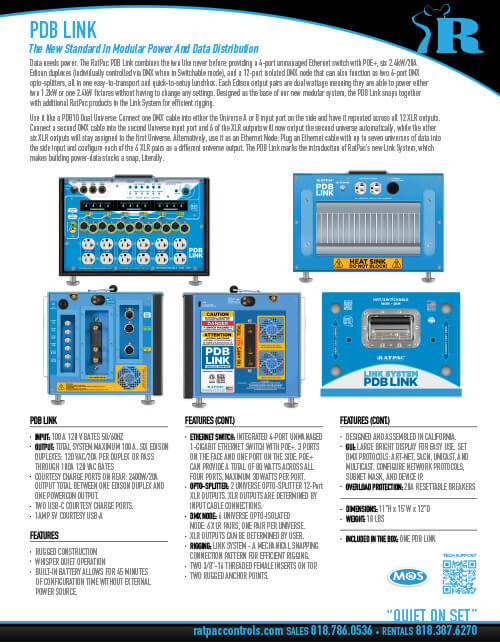

The PDB Link, the first in the RatPac Controls Link System range of modular data and power distribution devices intended to be used for Film, Television, and Commercial applications. Think Lego blocks, but designed as a secure solution for your set rigging needs. Devices in our Link System line of products will be designed to snap together mechanically to the top and bottom. Sometimes you need a basic power and data solution, sometimes you need a few extra tools for your lighting control network. The Link System allows you to add just the pieces you need for each project’s demands. We even have rigging and mounting solutions planned so you can integrate your own opto-splitters and network switches into this Link System! Stay tuned for future RatPac products to be introduced to this new Link System line. Now on to the main event: The PDB Link!
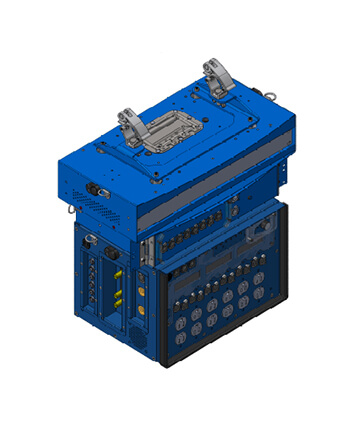
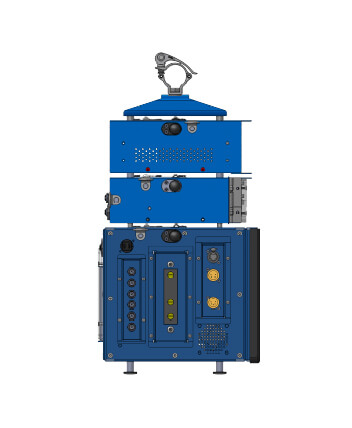

The PDB Link, part of the RatPac Controls Link System, is the latest in the RatPac Controls line of PDB products. Designed to set the new standard in modular power and data distribution for use on Film, Television, and Commercial sets, the PDB Link takes the most useful features from the previous PDB10 Dual Universe product and adds in even more functionality!
Rugged construction
Whisper quiet operation
Built-in battery allows for 45 minutes of configuration
Integrated 4-port unmanaged 1-gigabit ethernet switch with POE+. 3 ports on the face and one port on the side. POE+ can provide a total of 80 watts across all four ports, maximum 30 watts per port.
2 universe opto-splitter 12-port XLR outputs. XLR outputs are determined by input cable connections.
6 universe opto-isolated node: 6 xlr pairs, one pair per universe. XLR outputs can be determined by user.
Link system – a mechanical snapping connection pattern for efficient rigging.
Two 3/8”-16 threaded female inserts on top.
Two rugged anchor points.
Large bright display for easy use. Set DMX protocols: Art-Net, sACN, Unicast, and Multicast. Configure network protocols, Subnet mask, and device IP
A simple 3-second press of the Hot/Switchable button can alternate the twelve AC Edison outputs of the box to function either as hot outputs or as switchable outputs configurable to be controlled via either the Ethernet or XLR input ports.
With the 1:1 ratio of XLR ports to switchable AC Edison outputs, you have control distributed to all fixtures powered by the PDB Link as well as the ability to remotely power cycle any connected fixture.
The box can intelligently display the status of data being sent to it or even assign a color code to each universe it is outputting. For both “PDB” and “Node” modes, when set to “Status,” the box gives a stoplight-style data indication: A red LED indicates that no data has been received, a Green LED indicates that data is currently being received, and a Yellow LED indicates that data was being received but now that signal has been interrupted or lost and that port is currently holding the last received look. This DMX Persistence setting is set to ‘Hold Last Looks – Infinite’ by default. This feature is designed to help you with faster troubleshooting for failed data distribution.
When the box is in the simple “PDB” DMX Mode, it can operate where you are able to input 100A/120 VAC of power with a Bates connector, one universe of DMX plugged in to either XLR input, and have a 1:1 ratio of twelve AC Edison Channels and twelve XLR outputs at the ready for powering and controlling fixtures up to 1.2kW (or six at 2.4kW in certain configurations).
When automatically detecting second universe of DMX input into the second XLR input, the twelve XLR output ports will automatically configure half to output Universe A and the other half – Universe B. The three display screens even let you configure the numbering of the two universes, so you won’t have to apply additional labels to the box or connected cables.
The 4-port unmanaged 1-gigabit ethernet ports function as a normal, unmanaged ethernet switch with POE+ that can output 80 watts total across the four ports. These are all the features you need to know about to quickly deploy this lunchbox on set without further configurations or wasted effort wading through any settings menus.
The 512 Decimal and 512% settings allows the user to identify an unknown universe depending on which value was set to address 512. 512 Decimal mode shows the 0-255 value of the DMX parameters being sent to the box. 512% mode shows the 0-100% value of the DMX parameters being sent to the PDB Link. These features were added because programmers found it useful to use DMX address 512 as a universe identifier since that address is not commonly used for fixtures control. A programmer can use these settings to easily identify which universe their device is on, in case of an issue where the universe of the cable being run to the PDB Link is unspecified.
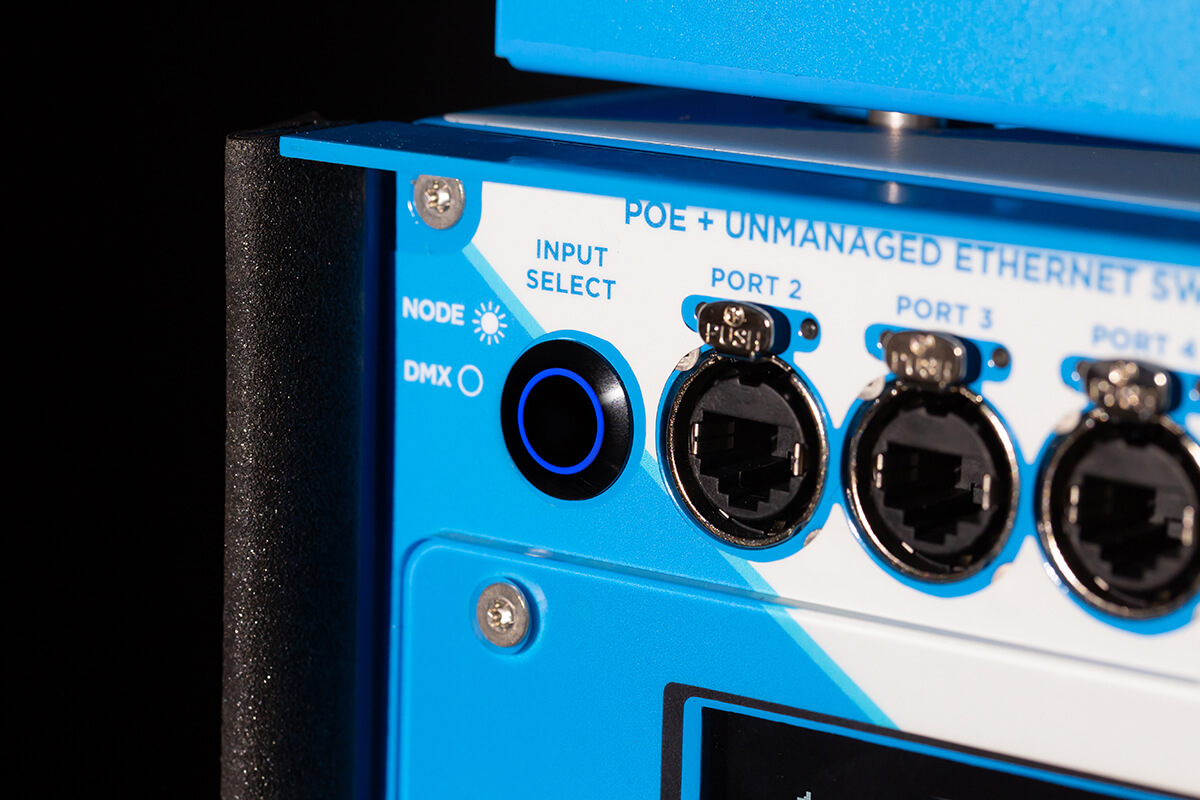
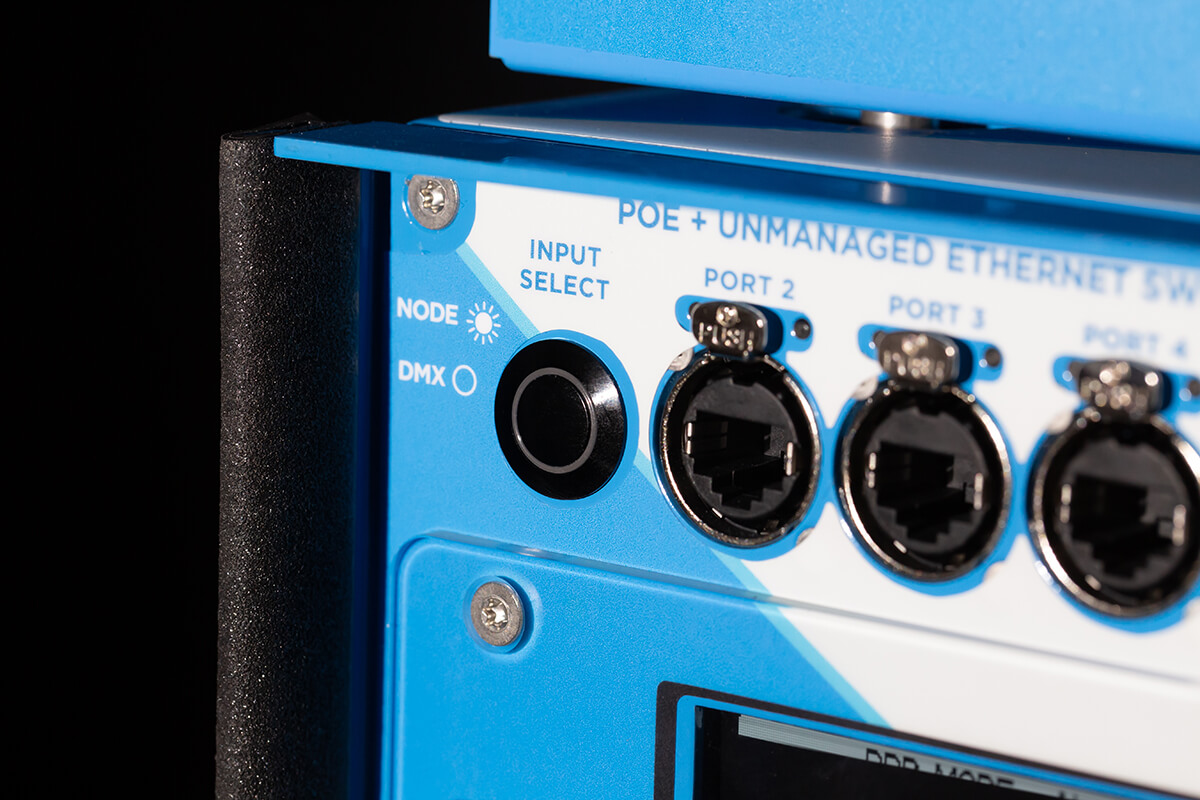
For more advanced users, the feature-rich “Node” mode opens up configurations that enable greater control over on-board data distribution and network settings. Simply press the Input Select button in the upper left corner once to enable this mode. When the Input Select button is illuminated, Node mode is enabled.
In Node mode, connected via ethernet rather than DMX cables, the PDB Link can output up to six different universes across the 12 XLR outputs. Each pair of XLR ports can be configured to output a different universe. The Universe of each XLR pair is intuitively displayed above on one of the three screens.
When set to “Universe ID,” all six XLR Pairs can be color coded on their associated RGB LED to save you from having to tape your cables with color labels. With this feature, when using our RGB LED-enabled wireless DMX products like the Satellite and Cintenna 2, a gaffer or lighting programmer would be able to designate each universe color on each device handling the signal chain from the board all the way to the fixtures.
This setting allows you to set alerts for when the XLR port is connected or disconnected. This is a great tool because not only does it prompt an alert of port behavior, it requires the user to “back out” of the notification to proceed to any other settings pages. This is important because when the XLR is disconnected suddenly, the DMX Tech or Programmer can know exactly what happened to cause disruption and will have to acknowledge the notification before using the PDB Link further. This feature, coupled with the stoplight style data signaling mode, will be a huge help in troubleshooting data failure issues on set.
The DMX frequency setting allows users to increase or decrease DMX signal speed for improved control of some fixtures that need it. This is applied across the entire unit. This setting is essential for some lights that require different DMX frequencies to work optimally.
The DMX persistence setting can be set for all 12 XLR outputs at once to either Hold Last Look for Infinite, Hold Last Look for 20 minutes, or Black Out on Signal Loss. The “Hold Last Look Infinite” setting is the default and can be crucial when a data signal is disconnected from the PDB Link because this DMX Persistence setting will enable the PDB Link to hold the last look it received for an unlimited amount of time. This DMX Persistence setting only functions if the DMX cable(s) is still physically connected to the input XLR port(s) of the PDB Link. It is applied for all twelve ports at once and cannot be configured differently for each individual XLR output.